How to Use the Checkout Registers
2025/2/8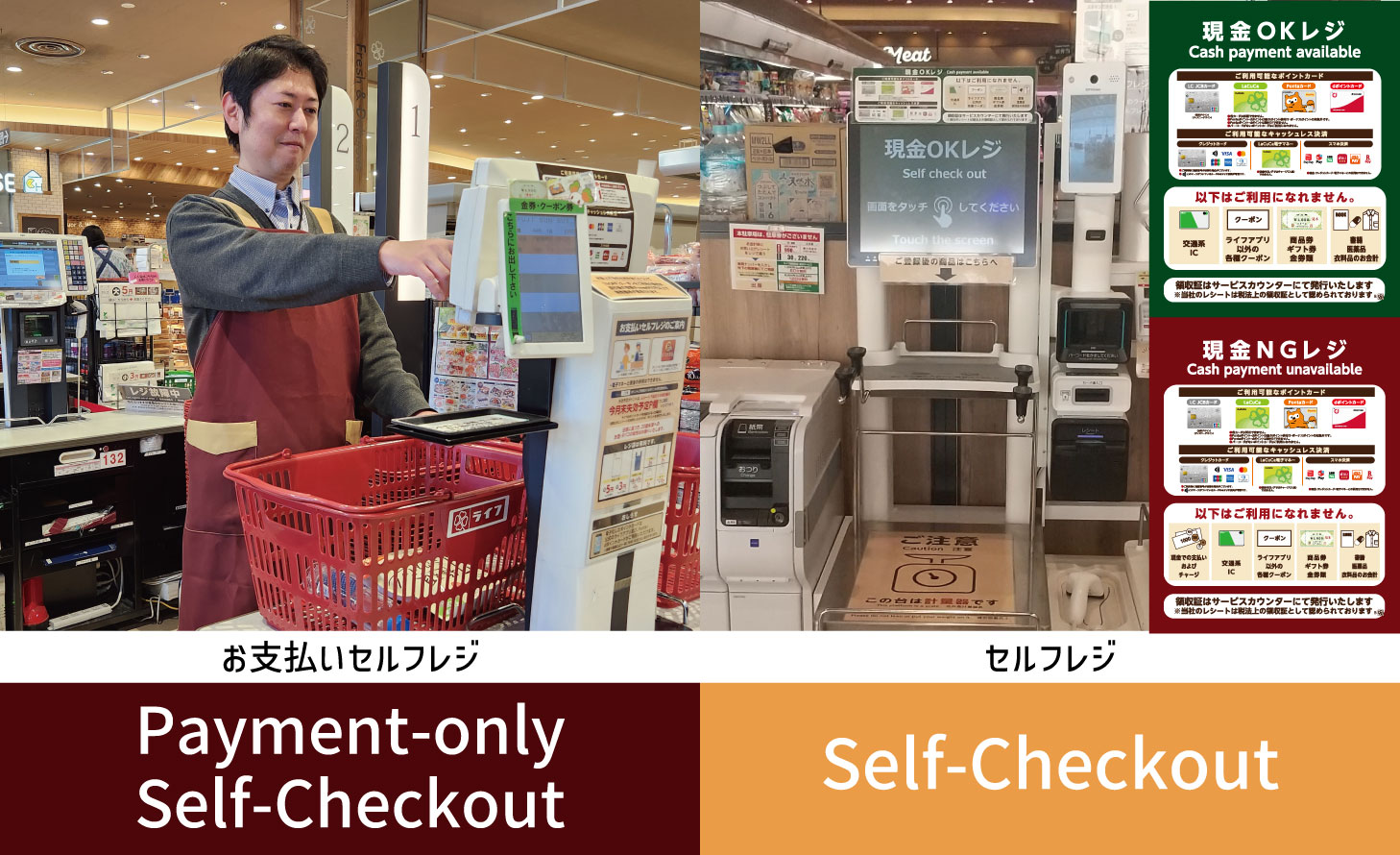
Our store has both "Payment-only Self-Checkout" and "Self-Checkout" registers.
How to Use
the Payment-only Self-Checkout
Payment-only Self-Checkout involves a store employee scanning your items, after which you will complete payment yourself using the payment machine.
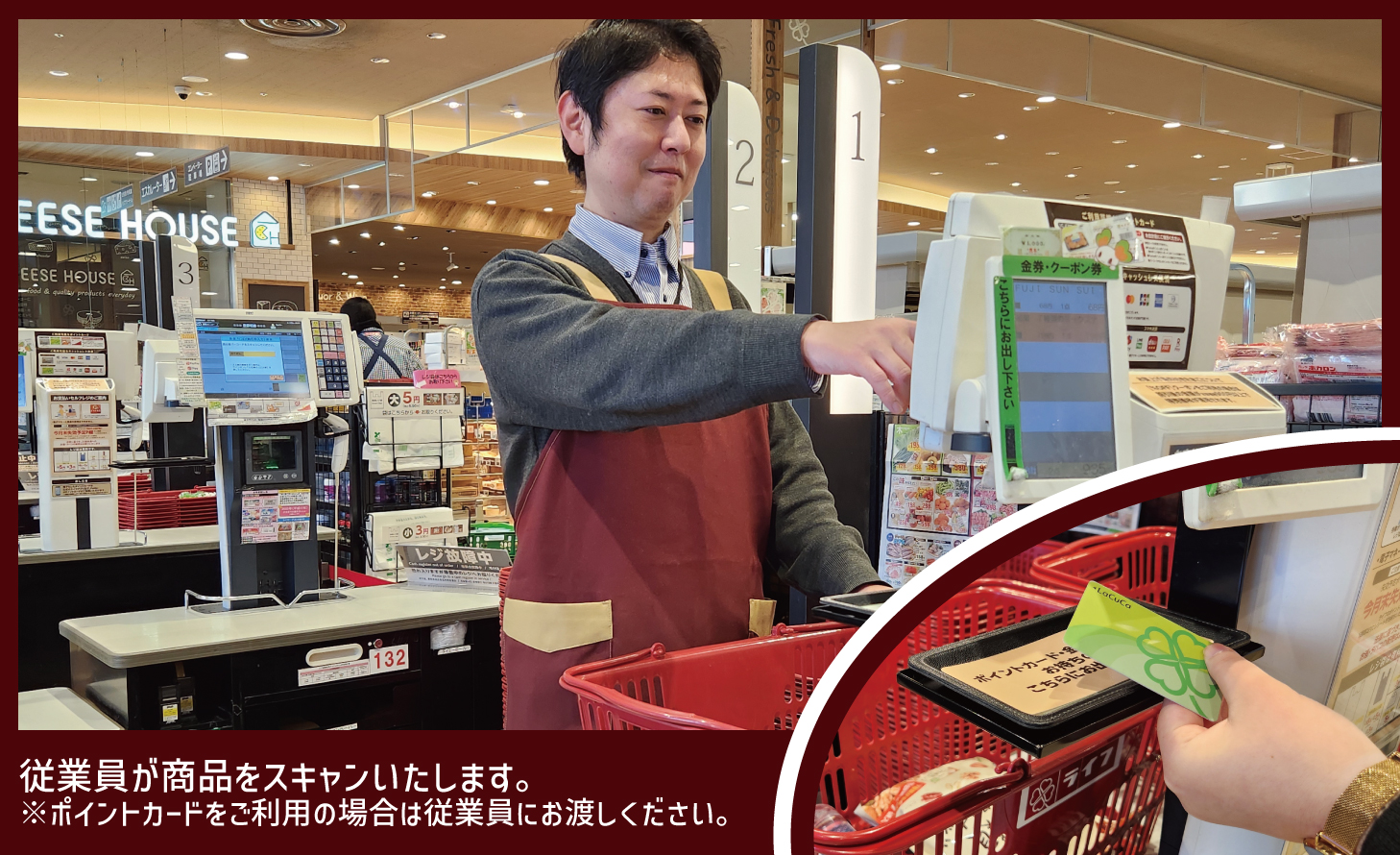
A store employee will scan your items.*If you have a point card, please present it to the store employee.
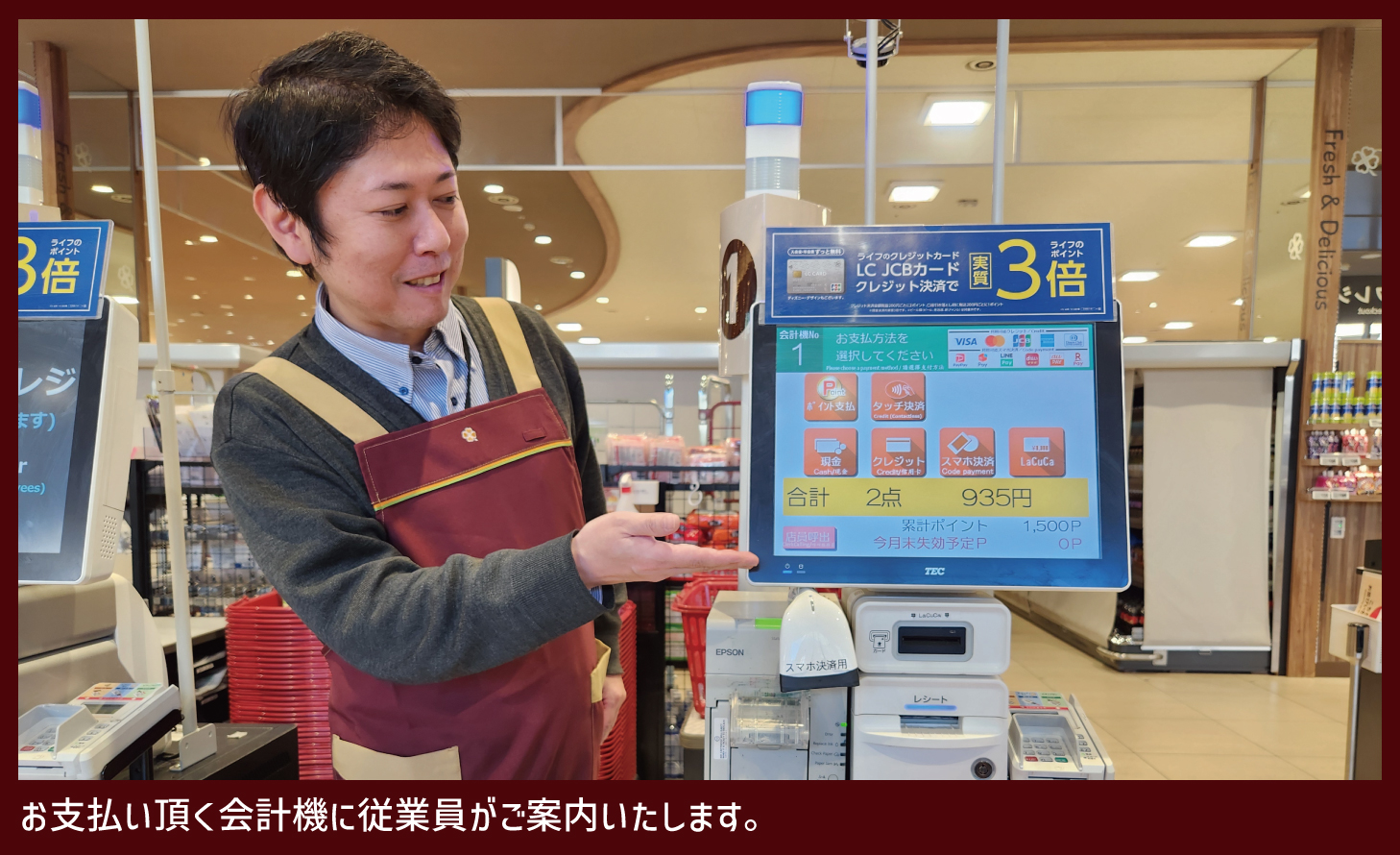
A store employee will guide you to the payment machine.
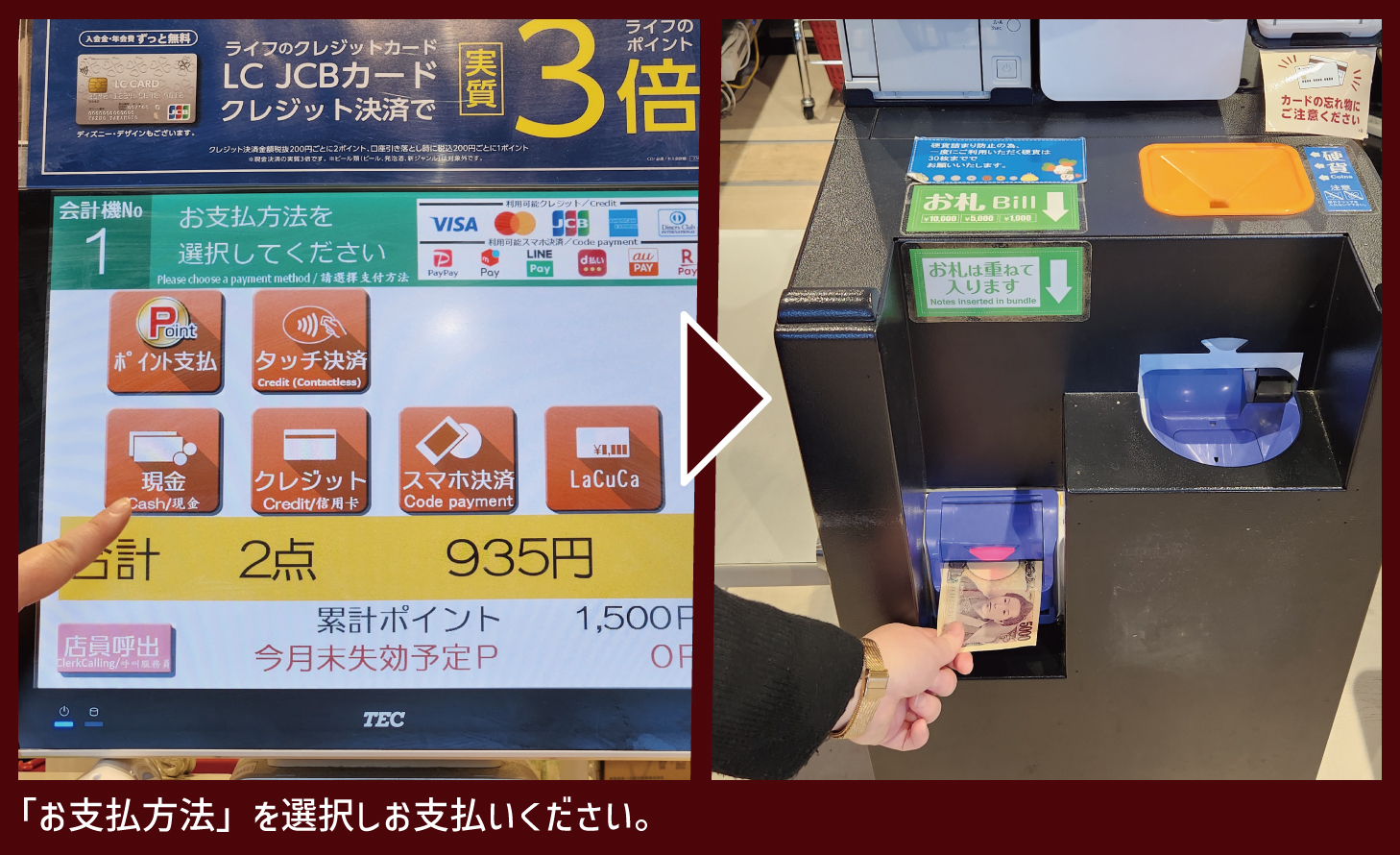
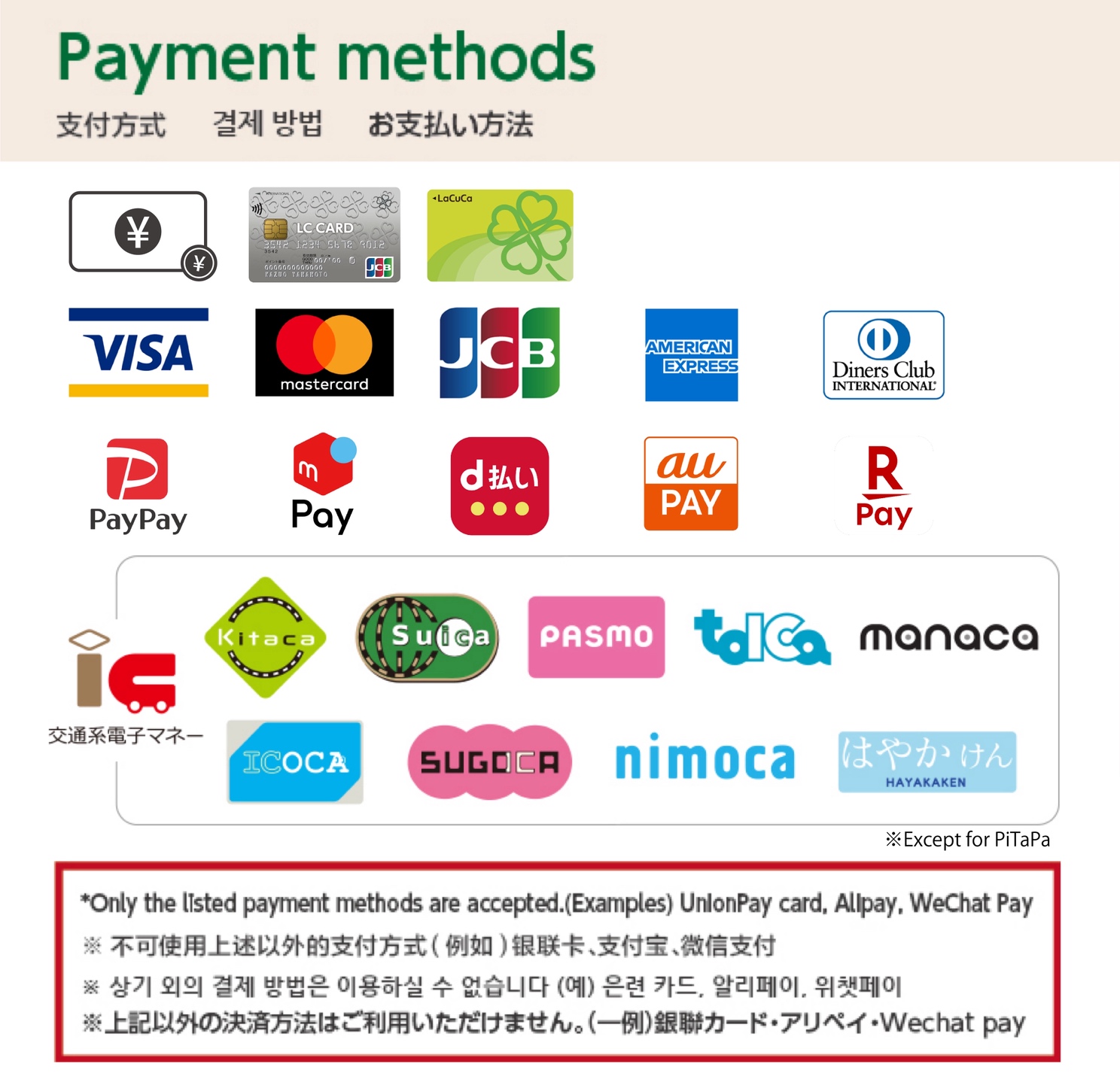
Please select your "Payment Method" and proceed with payment.
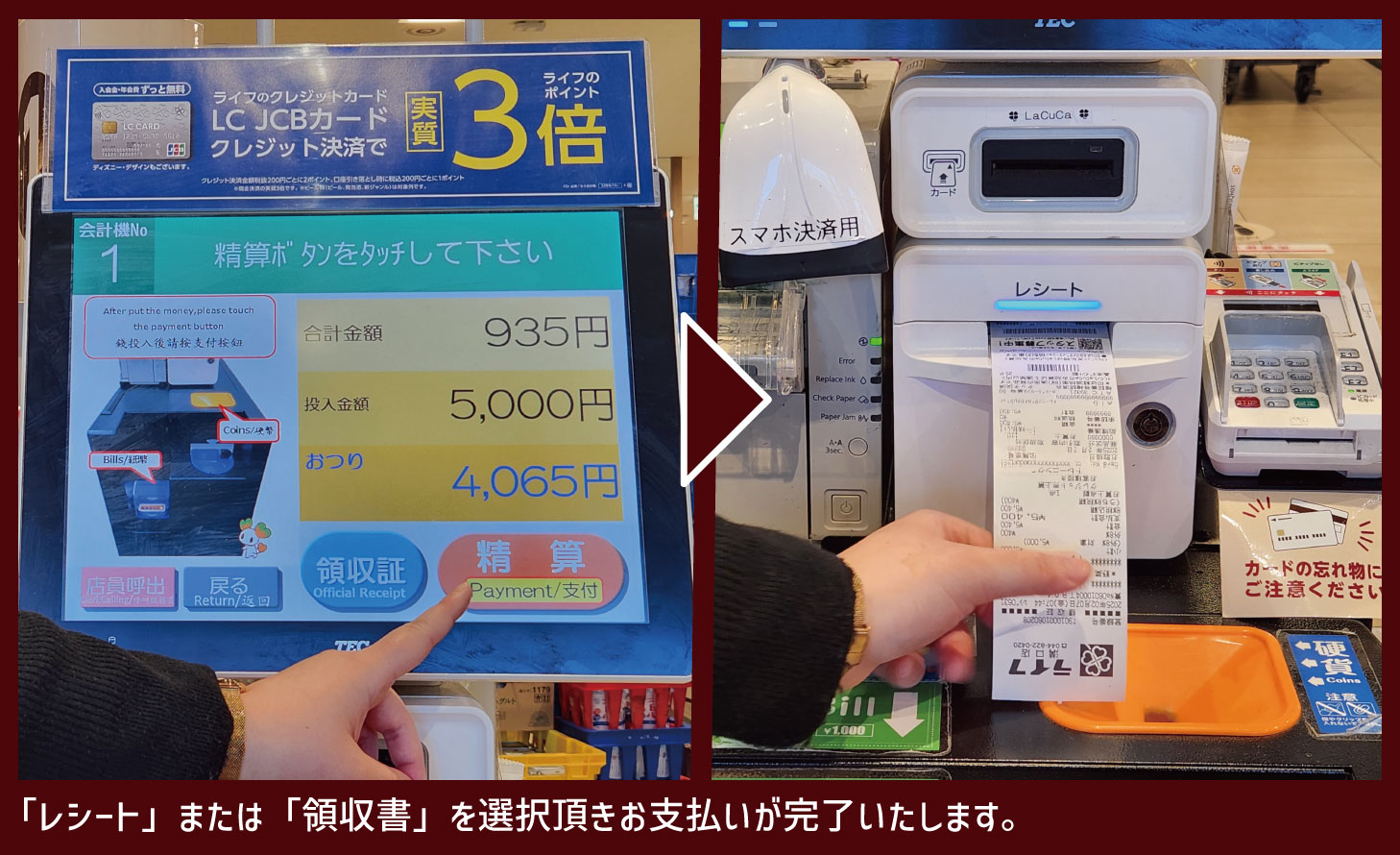
Please choose "Receipt" or "Invoice" to complete the payment.
Thank you for shopping with us.
How to Use
the Self-Checkout Registers
*In some stores, there are Self-Checkout registers that accept cash and others that do not.
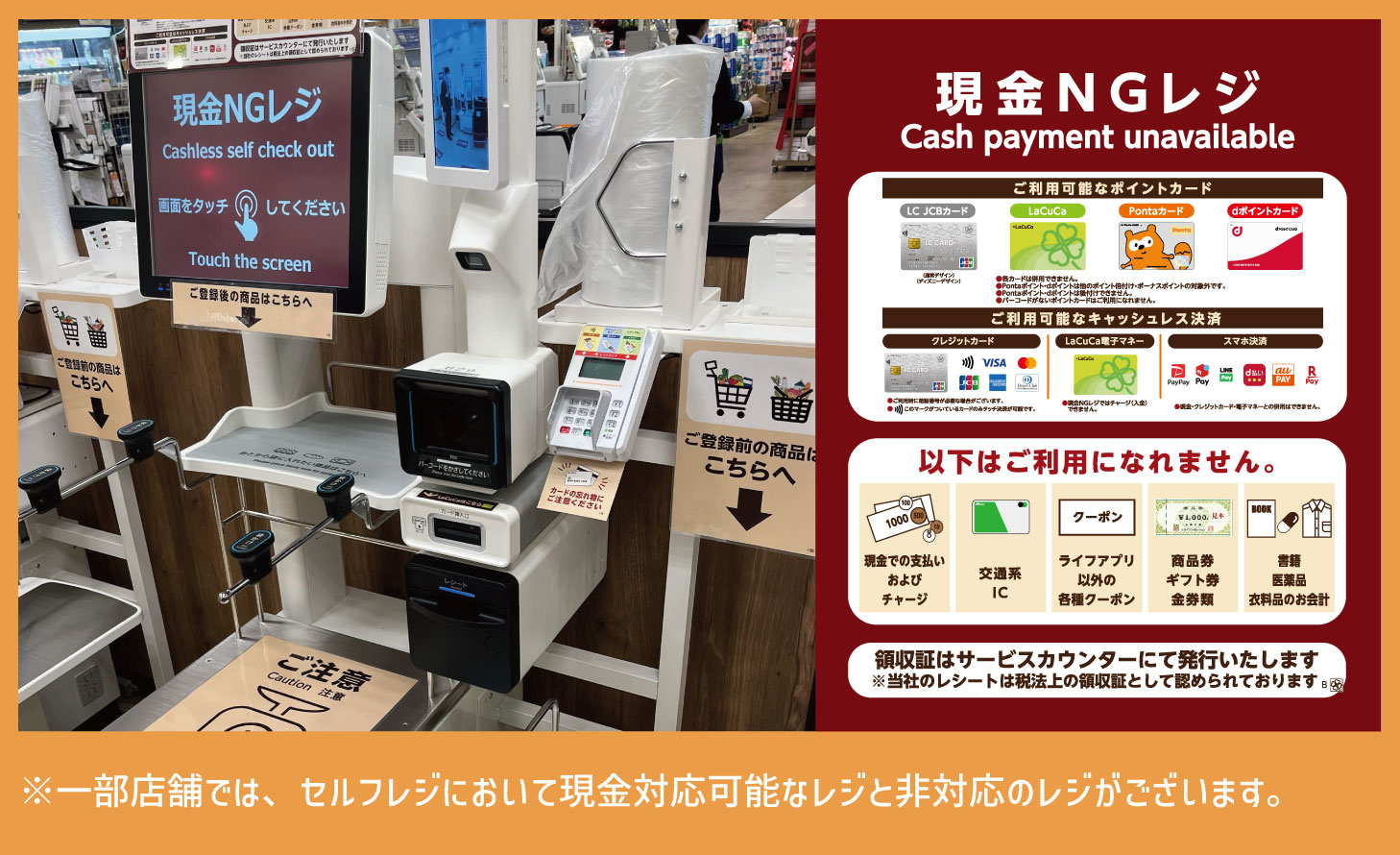
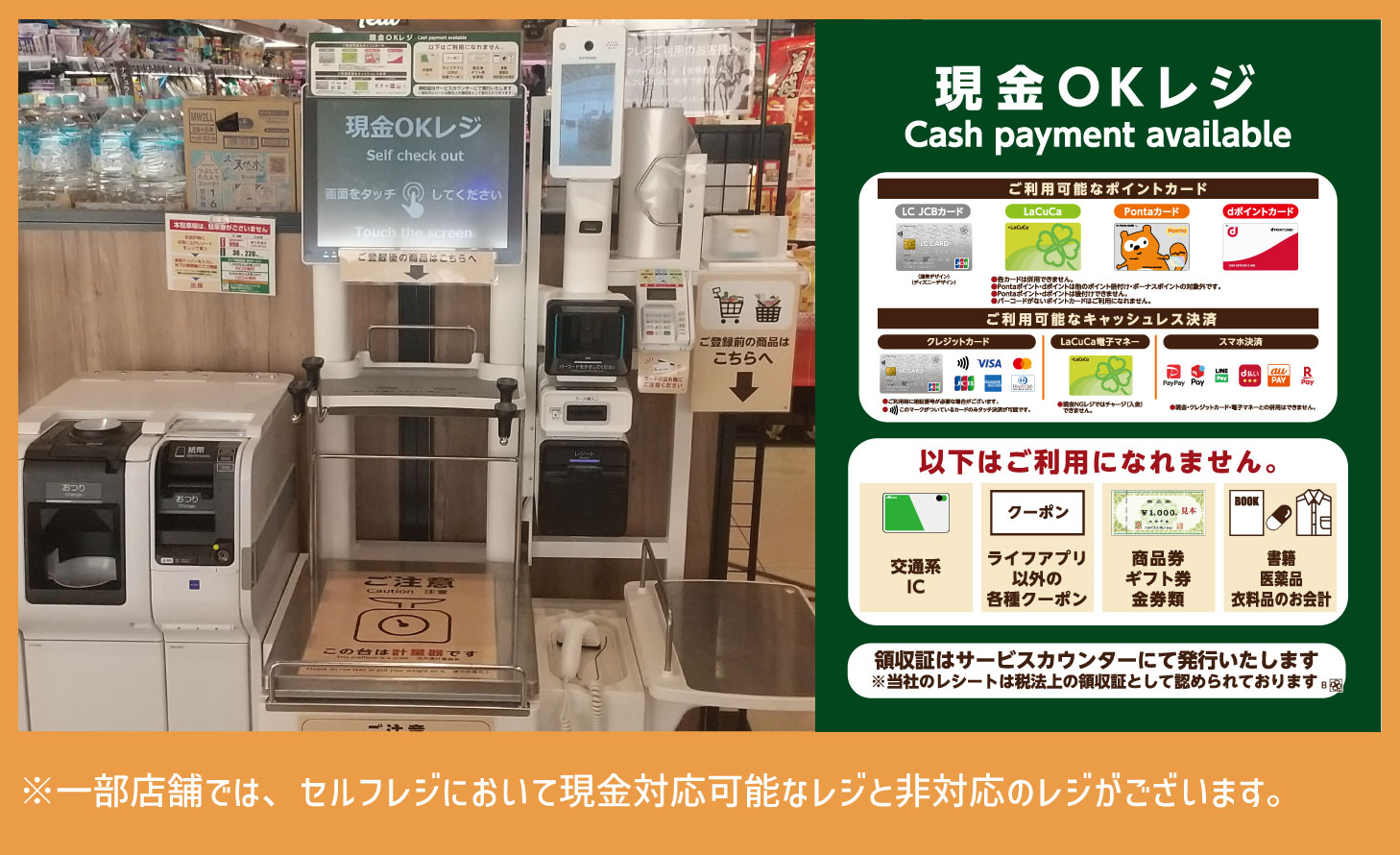
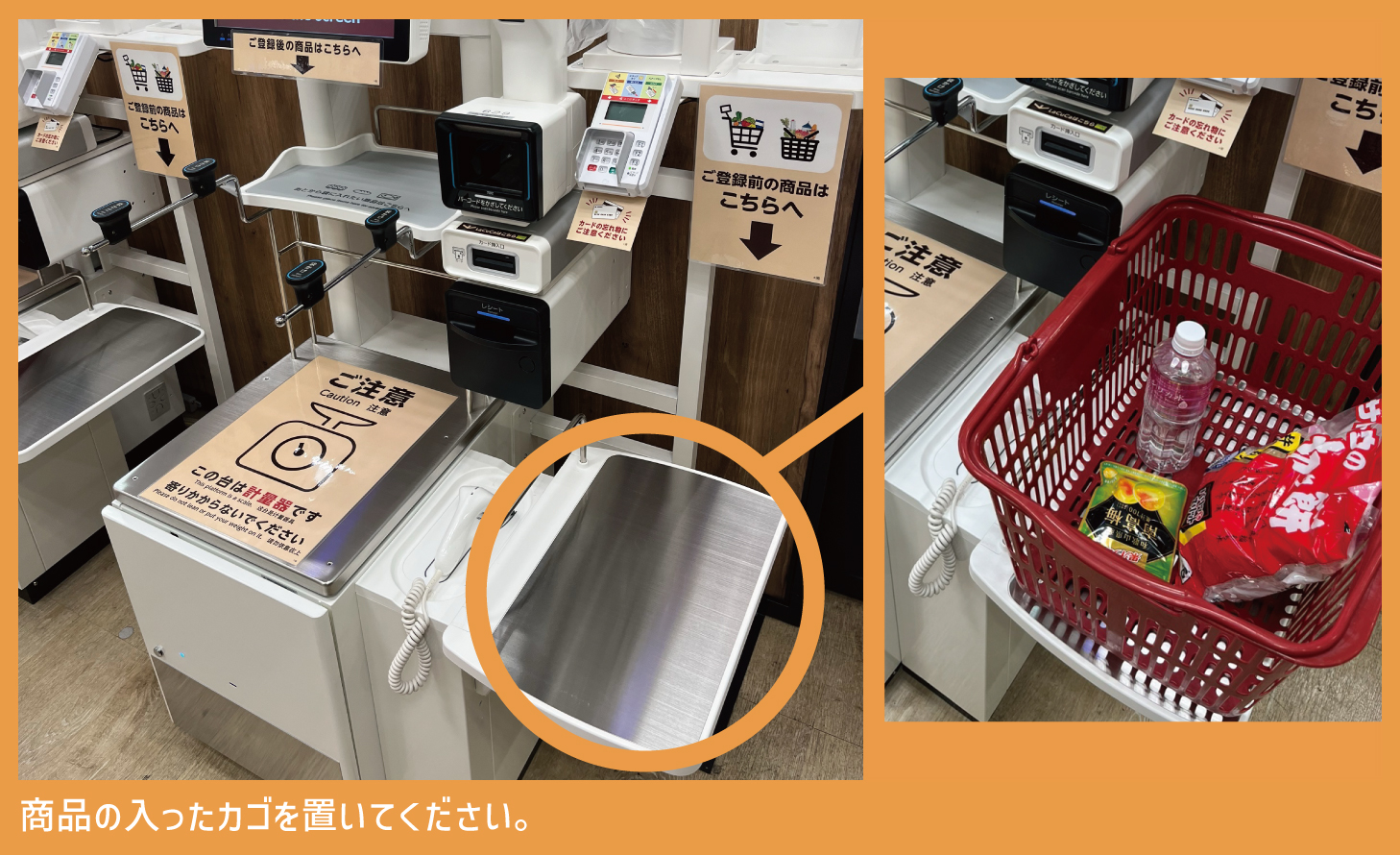
Please place the basket containing your items here.
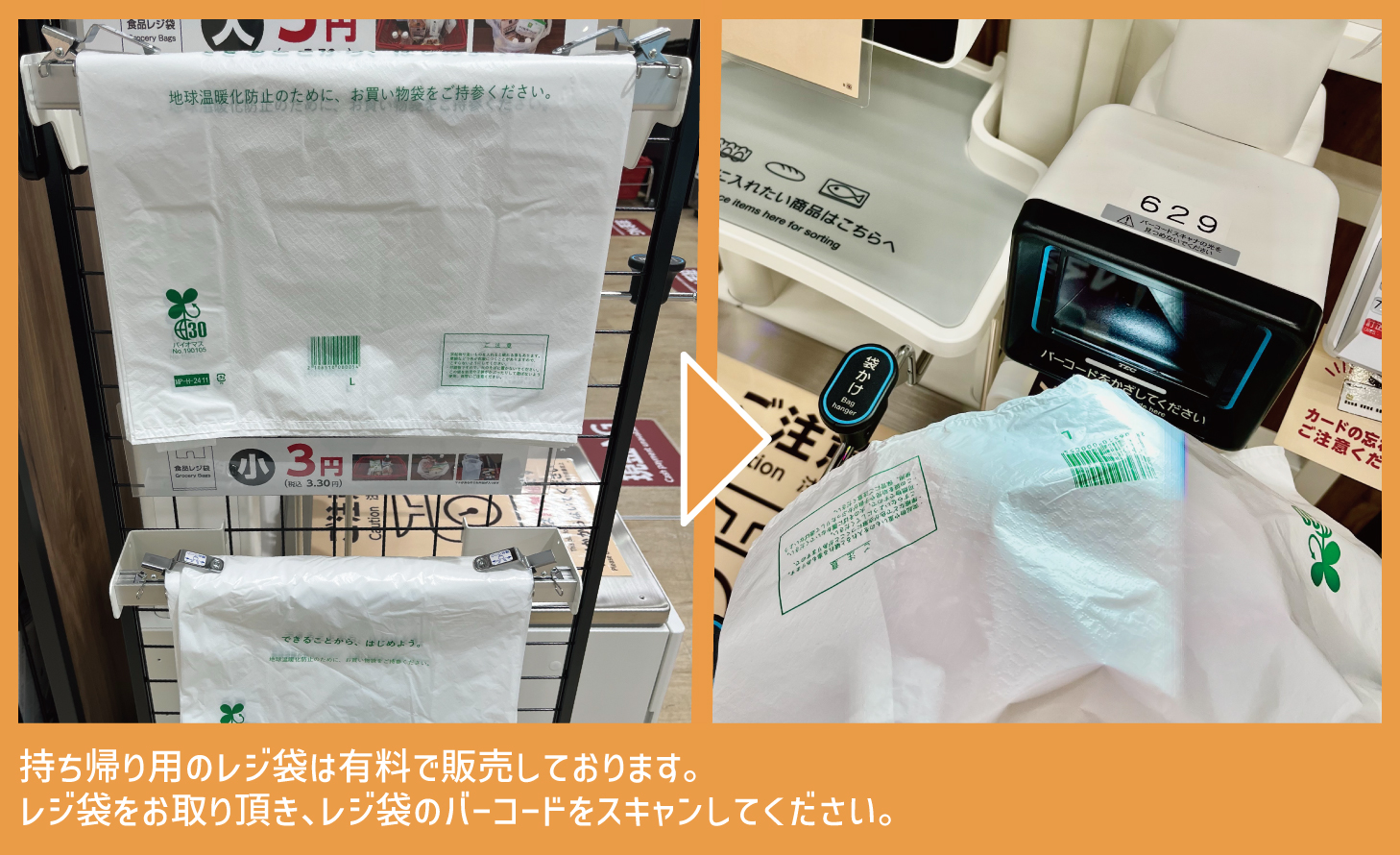
Shopping bags for takeaway are available for purchase.Please take a shopping bag and scan the barcode thereon.
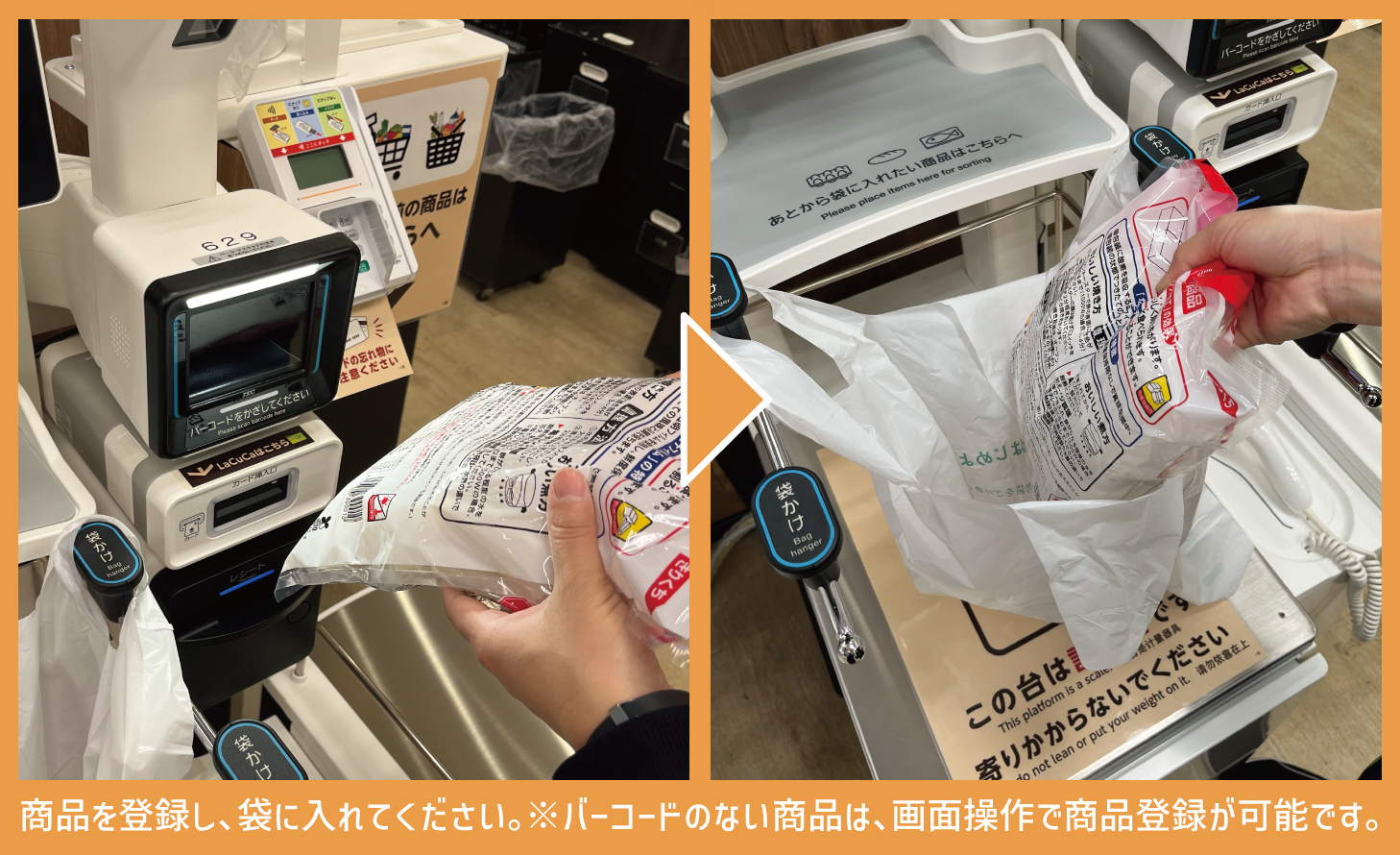
Register your items and place them in the bag.
*Items without barcodes can be registered via touch screen operations.
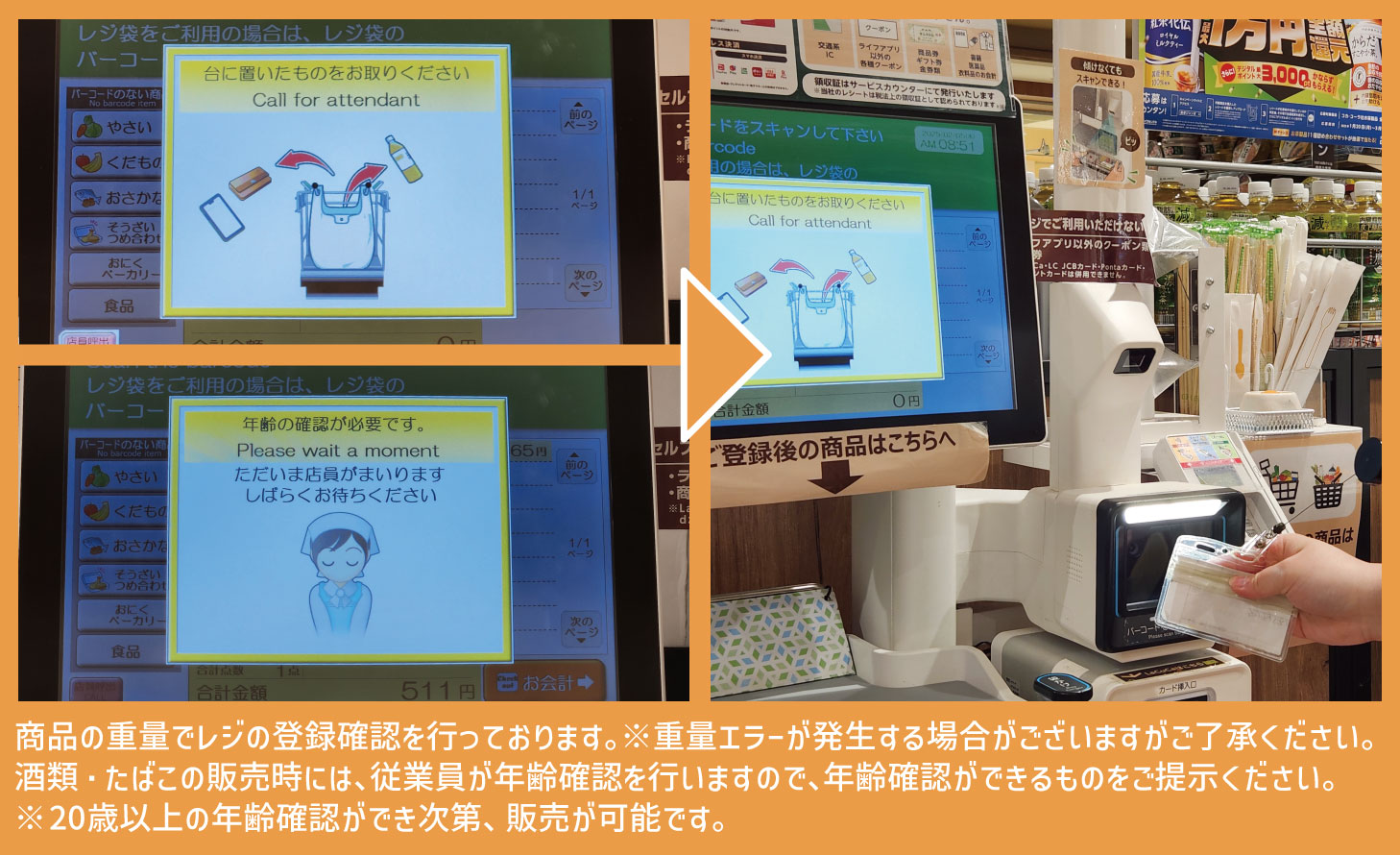
Item registration at the checkout will confirm registered products by weight.*Please be aware of the possibility for weight errors to occur.
A store employee will ask to confirm your age when purchasing alcohol and cigarettes. Please present identification to verify your age when asked to do so. *Sales are permitted once we have confirmed that you are 20 years old or over via age verification.
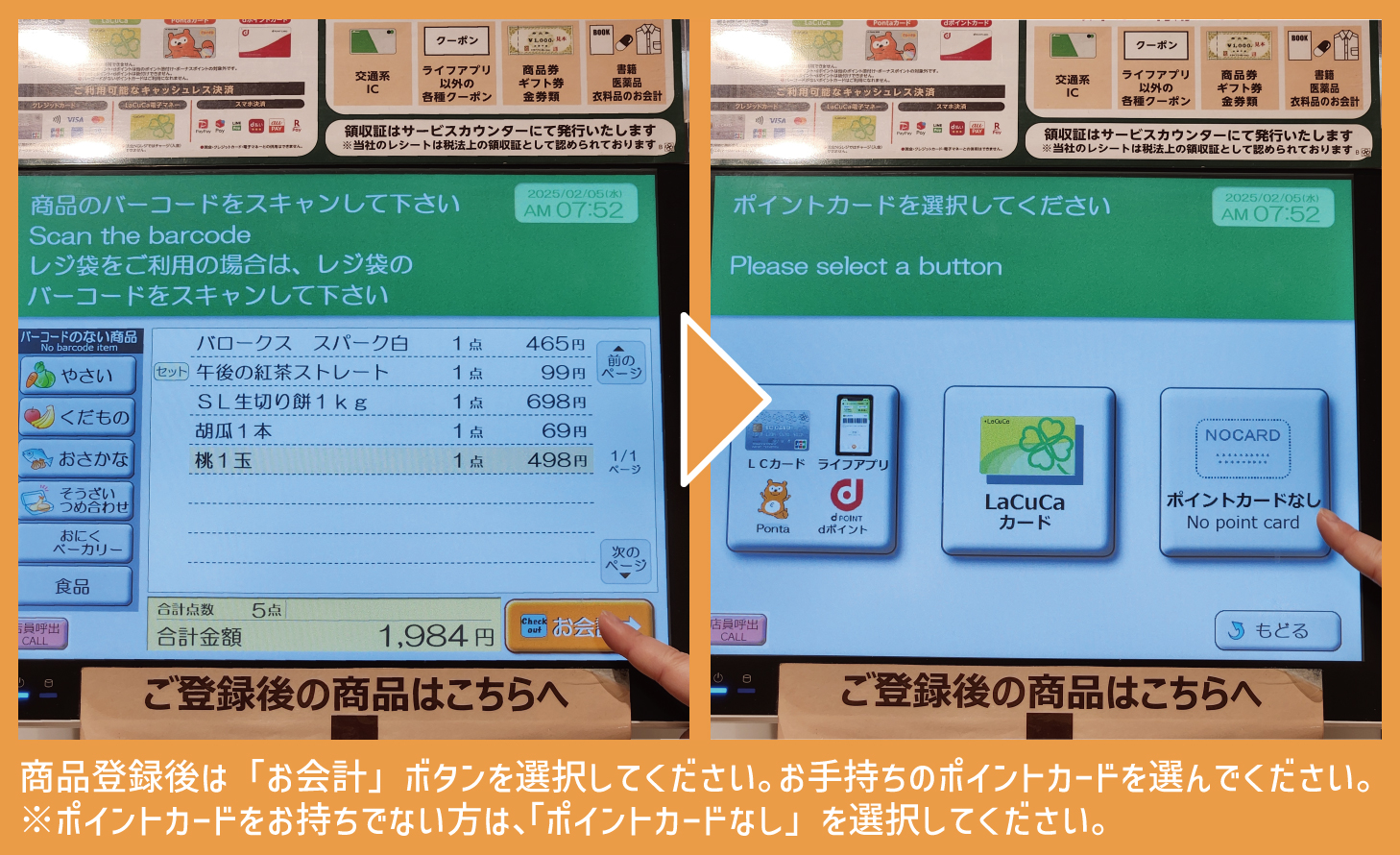
Please select the "Checkout" button after registering your items. Please select your point card. *Please select "No Point Card" if you don't have one.
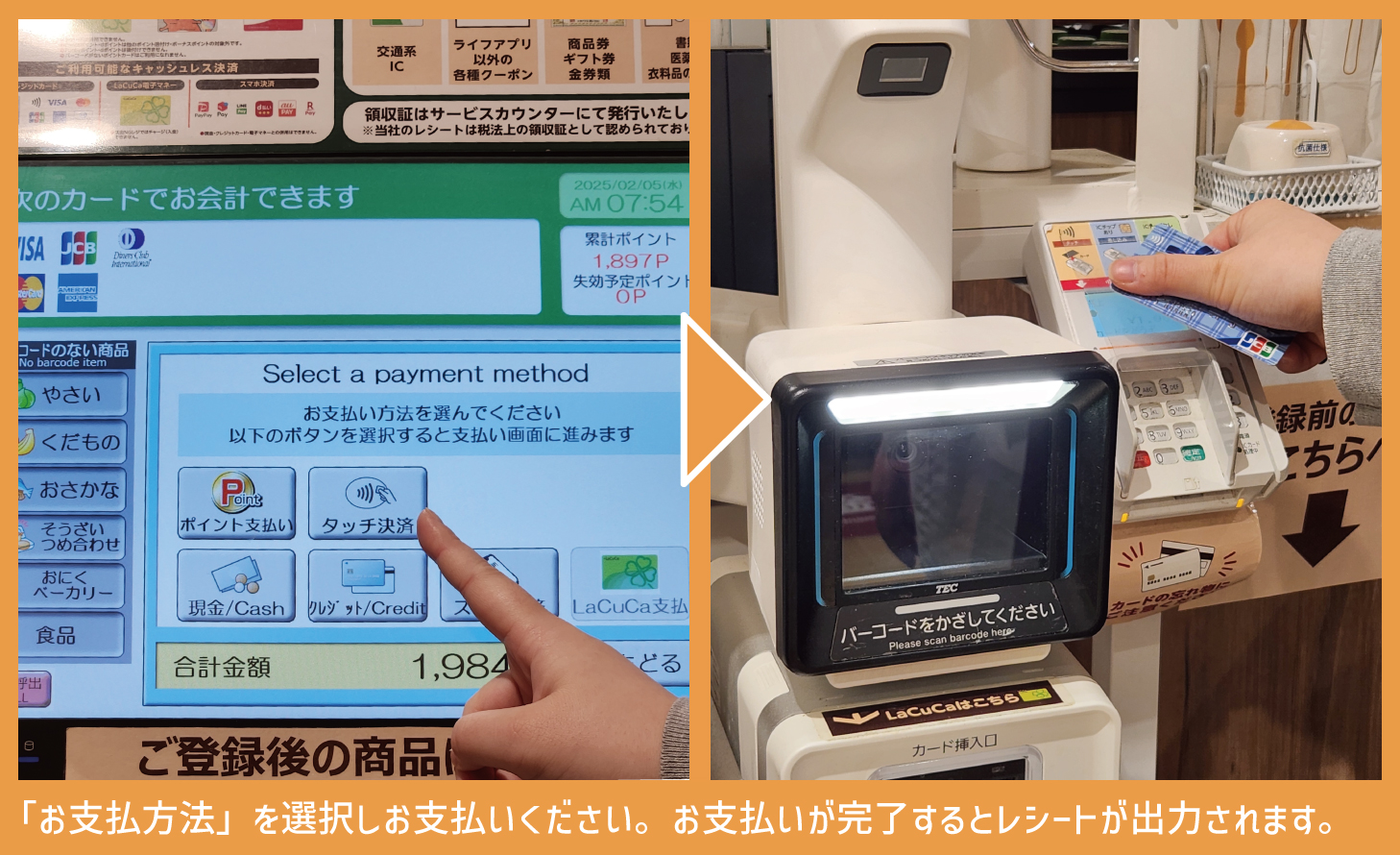
Please select your "Payment Method" and proceed with payment. A receipt will be printed upon completion of payment.
Thank you for shopping with us.